Construction Site Incident Report Template
Free PDF and Word · Updated
A construction incident report captures falls, equipment accidents, and near misses on a job site with photos and signatures, filed from a phone at the scene: the record contractors and site supervisors need for OSHA compliance and insurance claims.
On a job site, every minute counts. This template lets you file an incident report in under 2 minutes from a phone, with timestamped photos for the insurance claim, and the GPS location when it's filed from the IncidentLog app.
What this template includes
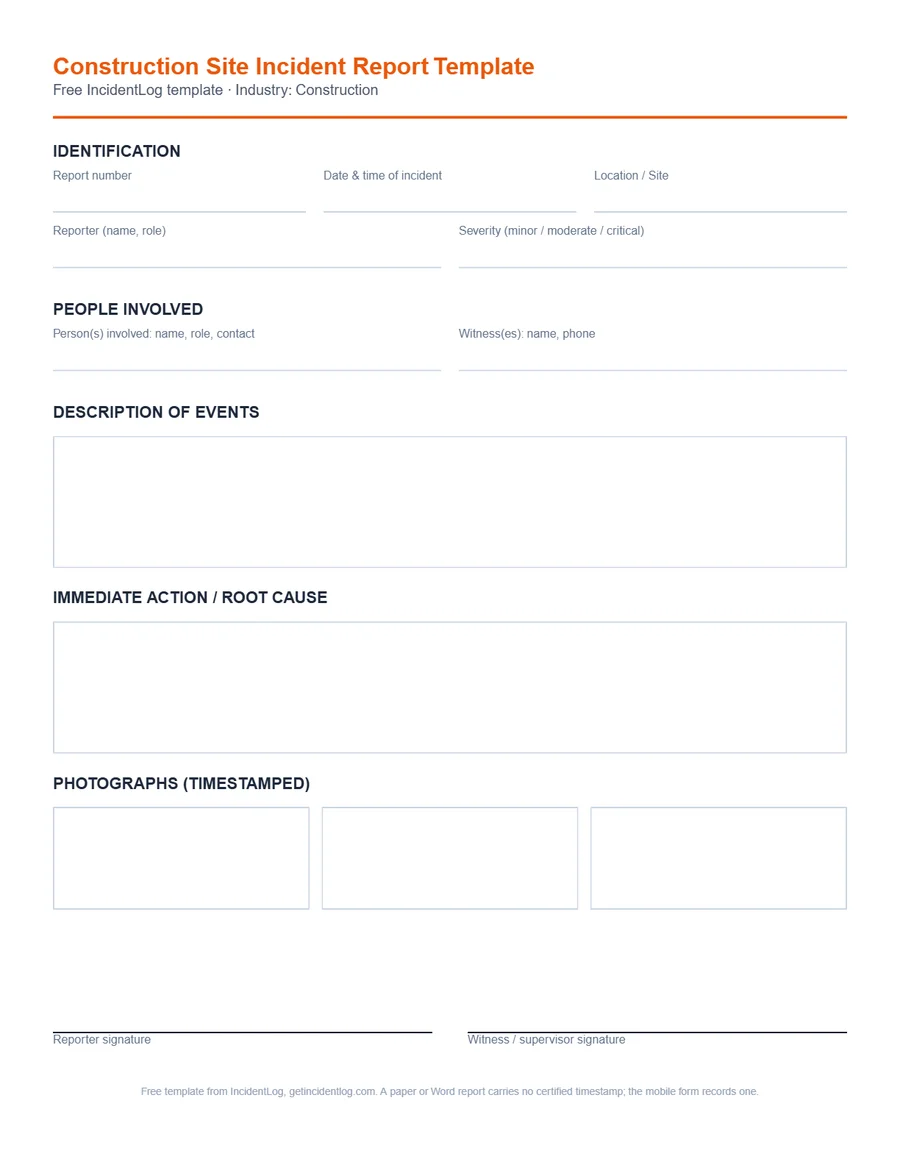
Every field below is part of the free template and the mobile version; nothing is locked behind a paywall for filling out a single report.
- Report number and date/time of the incident
- Location or site
- Reporter's name and role
- Severity (minor, moderate, or critical)
- Person(s) involved: name, role, contact
- Witness(es): name, phone
- Description of events
- Immediate action taken and root cause (if known)
- Up to 3 timestamped photographs
- Reporter signature
- Witness or supervisor signature
How to file a defensible construction report
- 1
File from the site, not from the trailer later
Fill out the report on your phone at the location where it happened. In the IncidentLog app the form records the GPS location and saves the report offline, so a dead zone isn't a blocker.
- 2
Photograph the hazard or damage
Photograph the fall location, the equipment involved, or the damage before anything is moved or cleaned up.
- 3
Name who was there
Record the injured or involved worker, and any witness or supervisor on site: their statement matters more the same day than a week later.
- 4
Sign and route it to whoever needs it
A reporter and witness/supervisor signature turns the report into a record your insurer, GC, or an OSHA inspector can rely on.
Common use cases
- Fall from height
- Heavy equipment accident
- Near miss
- Property damage or partial collapse
Frequently asked questions
Does the form work without signal on site?
IncidentLog's in-app report form does: a report started without signal is saved on the device and syncs once a connection returns, which matters on remote or below-grade sites. The QR form workers open from the site poster runs in the phone's browser and needs a signal to send.
Who should sign a construction incident report?
At minimum, the person reporting the incident. Adding a witness or site supervisor signature strengthens the report's standing if it's later reviewed by an insurer, OSHA inspector, or in litigation.
What should a construction incident report include?
The date, time and exact spot on the site; who was involved and which company employs them; the task and the equipment in use; what happened, step by step; injuries and the care given; witnesses; photos of the scene before anything is moved; the immediate fix; and the signatures of the person reporting and the supervisor.
Does a subcontractor's injury go on our OSHA 300 log?
It depends on who supervises the worker day to day. If the subcontractor supervises its own employee, the subcontractor records the injury. If you supervise that worker's work day to day, you record it on your log (29 CFR 1904.31(b)(3)). Either way, document the incident on site.
For the federal recordkeeping rules referenced above, see OSHA's recordkeeping requirements.
Related reading
OSHA 300 log and 300A forms: free printable PDFs
When an injury is recordable it goes on the OSHA 300 log within 7 days: the blank log, and how to fill in each column.
OSHA rules · NAICS 236220OSHA recordkeeping for commercial construction
Whether the 300 log applies, when the 300A has to be e-filed, and the industry's BLS injury rates.
OSHA rules · NAICS 238160OSHA recordkeeping for roofing contractors
Whether the 300 log applies, when the 300A has to be e-filed, and the industry's BLS injury rates.
OSHA rules · NAICS 238210OSHA recordkeeping for electrical contractors
Whether the 300 log applies, when the 300A has to be e-filed, and the industry's BLS injury rates.
OSHA rules · NAICS 238220OSHA recordkeeping for plumbing & HVAC contractors
Whether the 300 log applies, when the 300A has to be e-filed, and the industry's BLS injury rates.
Go digital: signature, photos, and archiving included
The Pro plan at $49/mo includes OSHA 301 export, 5-year legal archiving, and unlimited users on 1 site.
See pricing