Property Damage Incident Report Template
Free PDF and Word · Updated
A property damage report documents damage to a vehicle, building, or equipment with a cause, a damage estimate, and timestamped photos: the evidence an insurance adjuster needs to process a claim quickly.
A well-documented property damage report speeds up your insurance claim. This template captures the circumstances, damage estimate, and timestamped photo evidence.
What this template includes
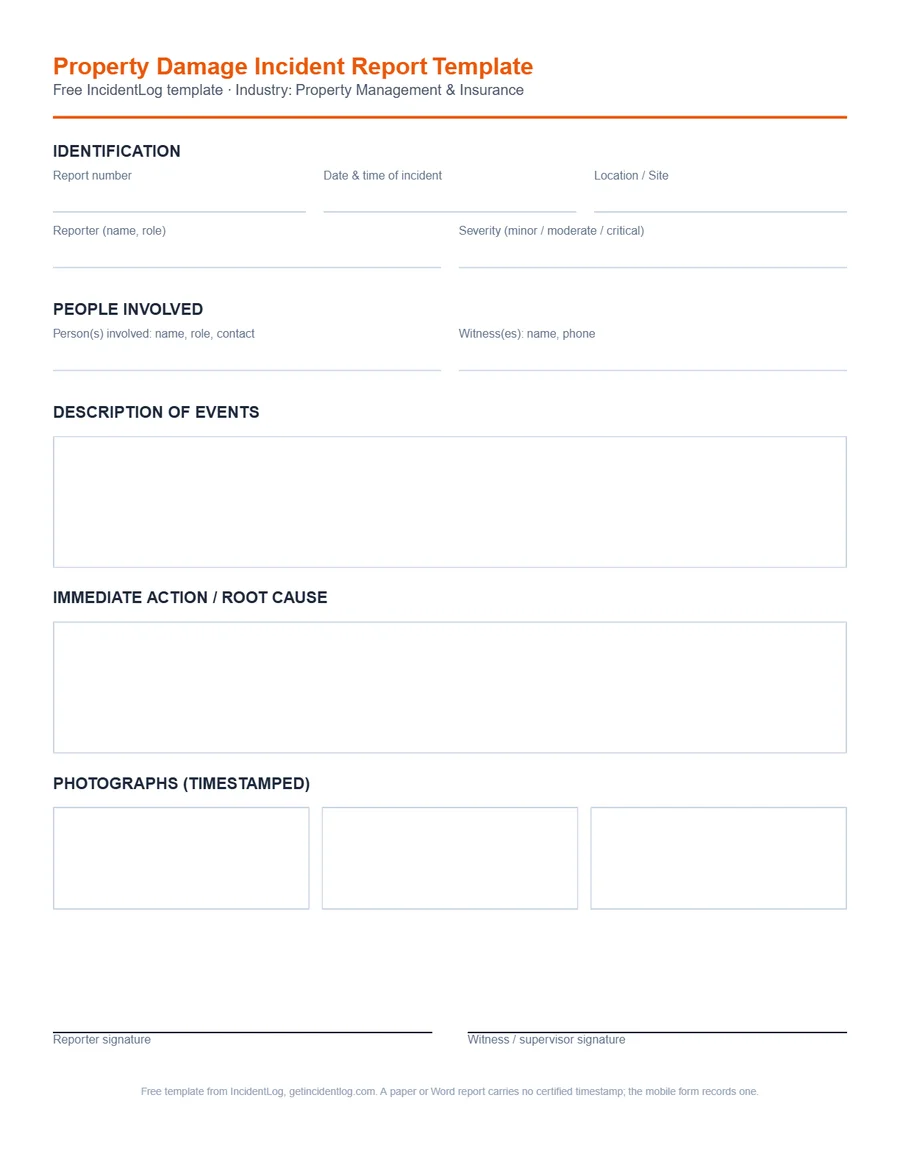
Every field below is part of the free template and the mobile version; nothing is locked behind a paywall for filling out a single report.
- Report number and date/time of the incident
- Location or site
- Reporter's name and role
- Severity (minor, moderate, or critical)
- Person(s) involved: name, role, contact
- Witness(es): name, phone
- Description of events
- Immediate action taken and root cause (if known)
- Up to 3 timestamped photographs
- Reporter signature
- Witness or supervisor signature
How to file a defensible property management & insurance report
- 1
Photograph the damage before anything is repaired
Take timestamped photos from multiple angles before any cleanup or repair starts: this is the evidence your claim depends on.
- 2
Note the cause
Record how the damage happened and whether a third party was involved: this affects how the claim gets handled.
- 3
Estimate the damage
Add a rough damage estimate if you have one; even an approximate figure speeds up the adjuster's initial review.
- 4
Submit it with your claim
A signed, timestamped report with photos attached is exactly what most commercial insurers ask for to open a property claim.
Common use cases
- Damage to a fleet vehicle
- Water damage or fire
- Broken equipment or machinery
- Damage caused by a third party
Frequently asked questions
Are photos automatically timestamped?
Yes, every photo taken from the app is automatically timestamped and attached to the report, with no way to alter it afterward.
What should a property damage report include?
The date, time and location; what was damaged and how badly, with photos from several angles before anything is moved or repaired; how it happened; who was involved and any witnesses; an estimate of the cost if you have one; and the immediate steps taken to make the area safe.
Who needs a property damage report?
Usually your insurer, for a claim; the property owner or landlord, when the damage is to a building you don't own; and a client, when your crew damaged something on their site. Some contracts set a deadline for written notice, so check yours.
For the federal recordkeeping rules referenced above, see OSHA's recordkeeping requirements.
Go digital: signature, photos, and archiving included
The Pro plan at $49/mo includes OSHA 301 export, 5-year legal archiving, and unlimited users on 1 site.
See pricing