OSHA 300 Log and 300A Forms: Free Printable PDFs and How to Fill Them Out
The OSHA 300 log (Log of Work-Related Injuries and Illnesses) is the form covered employers use to list every recordable work injury and illness, one line per case, within 7 calendar days of learning about it (29 CFR 1904.29). At year end its totals go on the Form 300A summary, posted from February 1 to April 30, and each case also needs a Form 301 incident report. Download a blank, printable 300 log and 300A summary below, or OSHA's own forms in PDF or Excel.
Download the forms
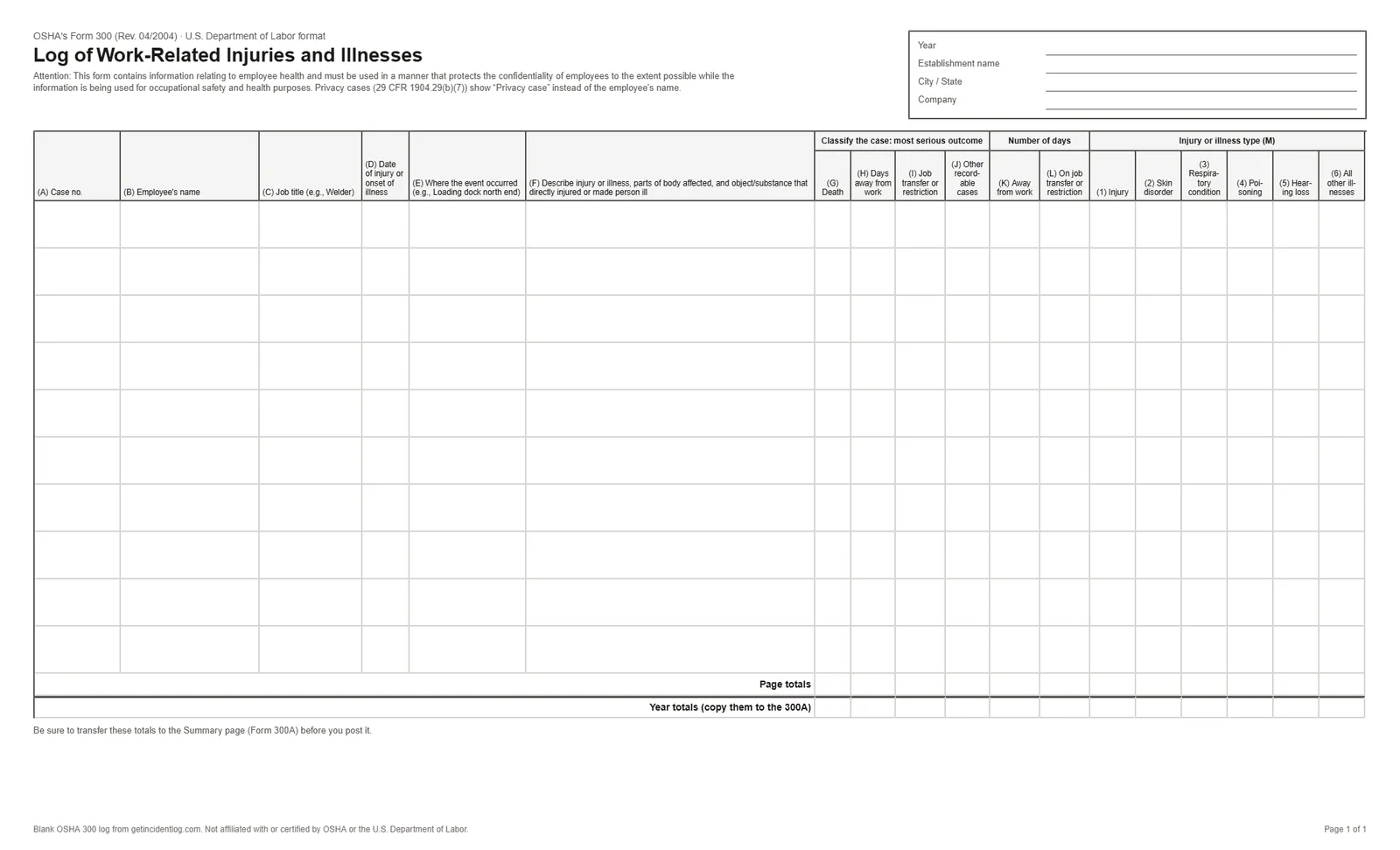
- Our blank log follows OSHA's layout: US Legal, landscape, 10 cases a page with page and year totals. Free, no email asked.
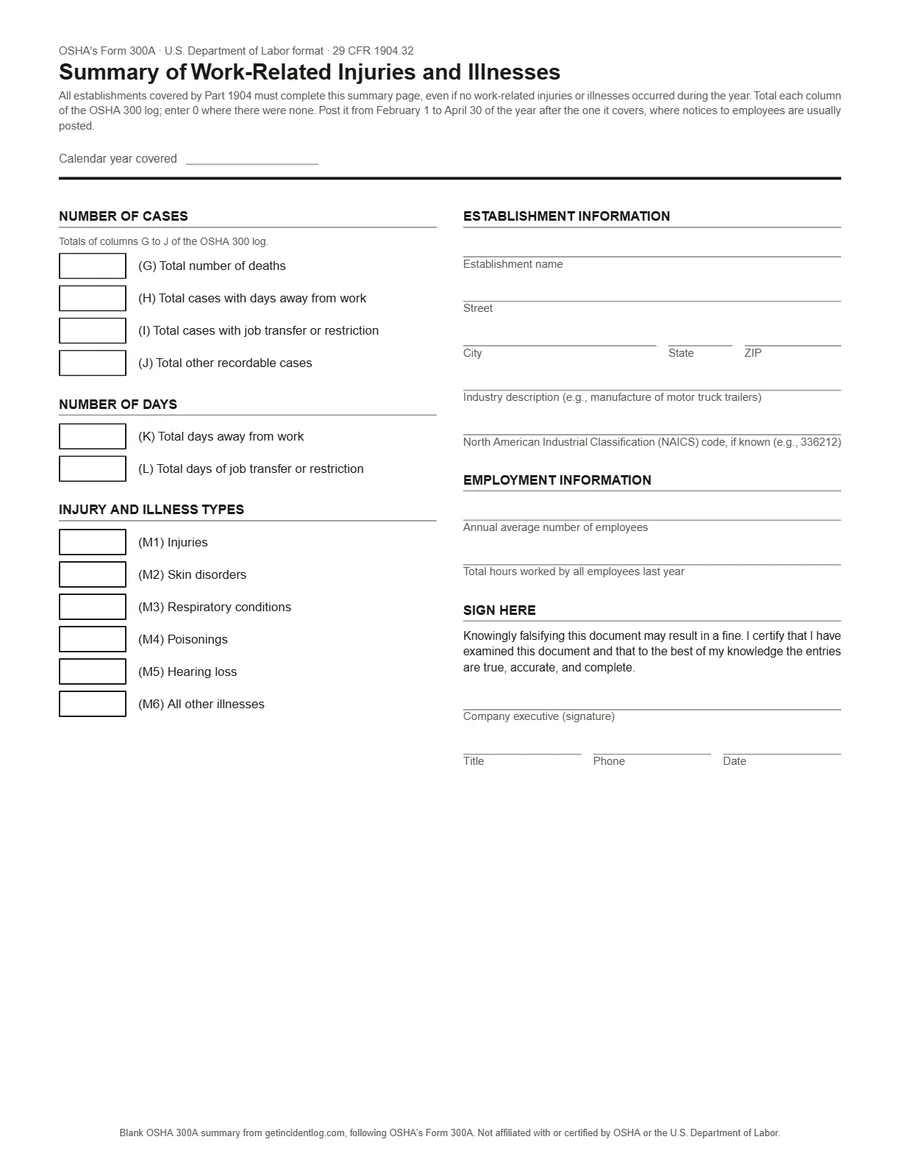
- Our blank 300A has the same sections as OSHA's summary on one US Letter page: the year's totals, the establishment, employees and hours, and the executive's certification.
- OSHA's official forms package has the 300, 300A and 301 together, as a fillable PDF or Excel files, and en español.
The 300, 300A and 301: which form does what
| Form | When | What it holds | Who sees it |
|---|---|---|---|
| Form 300: the log | Within 7 calendar days of learning about each case | One line per recordable case: who, when, where, what happened, and how serious it was | Kept on file; an employee can ask for a copy by the end of the next business day |
| Form 300A: the summary | Posted from February 1 to April 30 of the following year | The year's totals from the log, the annual average number of employees and total hours worked, certified by a company executive | Posted where notices to employees go; some establishments also submit it to OSHA by March 2 |
| Form 301: the incident report | Within 7 calendar days of learning about each case | The details behind one case: what the employee was doing, what happened, the injury, what caused it, where they were treated | Kept on file; an insurance or workers' comp form with the same information can replace it |
Deadlines, exemptions and electronic filing are covered in the OSHA 300 log requirements guide (en español).
How to fill out the OSHA 300 log, column by column
Each recordable case gets one line. If you aren't sure a case is recordable, the OSHA recordable injury checker walks through the test.
- (A) Case no.
- A unique number for the case, matching its Form 301 (e.g. 2026-004).
- (B) Employee's name
- Leave it off and write "privacy case" for the cases listed in 1904.29(b)(7), such as a sexual assault or a mental illness.
- (C) Job title
- The employee's job, e.g. "Welder" or "Warehouse associate".
- (D) Date of injury or onset of illness
- Month and day.
- (E) Where the event occurred
- As precisely as you can, e.g. "Loading dock, north end".
- (F) Describe the injury or illness
- The injury, the part of the body, and the object or substance that caused it, e.g. "Sprained left ankle, stepped off dock plate".
- (G) to (J) Classify the case
- One check for the most serious outcome only: death, days away from work, job transfer or restriction, or other recordable case.
- (K) and (L) Number of days
- Days away from work and days on job transfer or restriction, in calendar days starting the day after the injury; you may stop counting at 180 (1904.7(b)(3)).
- (M) Injury or illness type
- One check: injury, skin disorder, respiratory condition, poisoning, hearing loss, or all other illnesses.
Example: one case on the OSHA 300 log
A fictional case, as it would appear on its line. The name and details are invented.
- Case no.
- 2026-004
- Employee
- Jordan Reyes
- Job title
- Warehouse associate
- Date
- 03/14
- Where
- Loading dock B
- Description
- Sprained left ankle, stepped off the edge of a dock plate
- Most serious outcome
- (H) Days away from work
- Days away (K)
- 3
- Days restricted (L)
- 0
- Type (M)
- (1) Injury
The same case also needs a Form 301 with the details, and it counts in the 300A totals at year end: one case in column H, 3 days in column K, one injury in column M1.
How to fill out the OSHA 300A summary
- Total each column of the year's OSHA 300 log: cases in columns G to J, days in K and L, types in M1 to M6. Enter 0 where there were none; the 300A is required even in a year with no cases.
- Fill in the establishment: name, street, city, state and ZIP, the industry description and the NAICS code.
- Enter the annual average number of employees covered by the log and the total hours they worked that year (leave out vacation, sick leave and holidays).
- Have a company executive certify it: an owner of a sole proprietorship or partnership, an officer of the corporation, the highest-ranking official at the establishment, or that person's immediate supervisor (1904.32(b)(4)).
- Post it from February 1 to April 30 where notices to employees are usually posted, and submit it through OSHA's Injury Tracking Application by March 2 if your establishment's size and industry require it.
Download the blank 300A, or see which establishments must file it electronically in the OSHA 300 log requirements guide.
Frequently asked questions
Where do I get the OSHA 300A form?
Download the blank 300A summary on this page, or OSHA's recordkeeping forms package (300, 300A and 301) as a fillable PDF or Excel files from osha.gov/recordkeeping/forms. If you keep your 300 log in IncidentLog, the 300A totals are filled in from it.
Who has to sign the OSHA 300A?
A company executive: an owner of the company if it's a sole proprietorship or partnership, an officer of the corporation, the highest-ranking company official working at the establishment, or that official's immediate supervisor (29 CFR 1904.32(b)(4)). They certify they've examined the log and believe the summary is correct and complete.
Where do I get an OSHA 300 log form?
OSHA publishes the 300, 300A and 301 together as a recordkeeping forms package, as a fillable PDF and as Excel files, in English and Spanish, on osha.gov/recordkeeping/forms. You can also download the blank, printable 300 log on this page. Any equivalent form works if it carries the same information and is filled in the same way (29 CFR 1904.29(b)(4)).
Do I have to fill out an OSHA 300 log?
Most employers with more than 10 employees do, unless their industry is on OSHA's partially exempt list (29 CFR 1904.1 and 1904.2). If you keep the log, every work-related injury or illness that meets OSHA's recording criteria goes on it within 7 calendar days of learning about it.
How do I complete the OSHA 300 log?
Give each recordable case one line: a case number, the employee's name (or "privacy case"), job title, date, where it happened and a short description of the injury and its cause. Then check one box for the most serious outcome, enter the days away or on restricted duty, and check one injury or illness type. Update the line if the outcome changes.
Can I create an OSHA 300 form in Excel?
Yes. OSHA offers the forms as Excel files, and 29 CFR 1904.29(b)(5) allows records kept on a computer as long as you can print equivalent forms when they're needed: within 4 business hours when the government asks, and by the end of the next business day when an employee asks.
Is the OSHA 300A the same as the 300 log?
No. The 300 log lists every case during the year and stays on file. The 300A is the one-page summary of its totals, plus the annual average number of employees and total hours worked, certified by a company executive and posted from February 1 to April 30 (29 CFR 1904.32).
How long do I keep the OSHA 300 log?
Five years after the end of the year it covers, along with the 300A and the 301 forms (29 CFR 1904.33). During those five years, update a stored log when you learn of a new recordable case or when a case's outcome changes.
Rules from 29 CFR Part 1904, checked October 14, 2026. IncidentLog is not affiliated with OSHA.
Let the log fill itself
Workers report from a QR code on their phone; recordable cases land on your 300 log, the 300A totals add up, and the 301 and the ITA upload file are ready. $49/mo per site, with a free plan to start.