7 Best Incident Reporting Software and Apps for Small Businesses in 2026
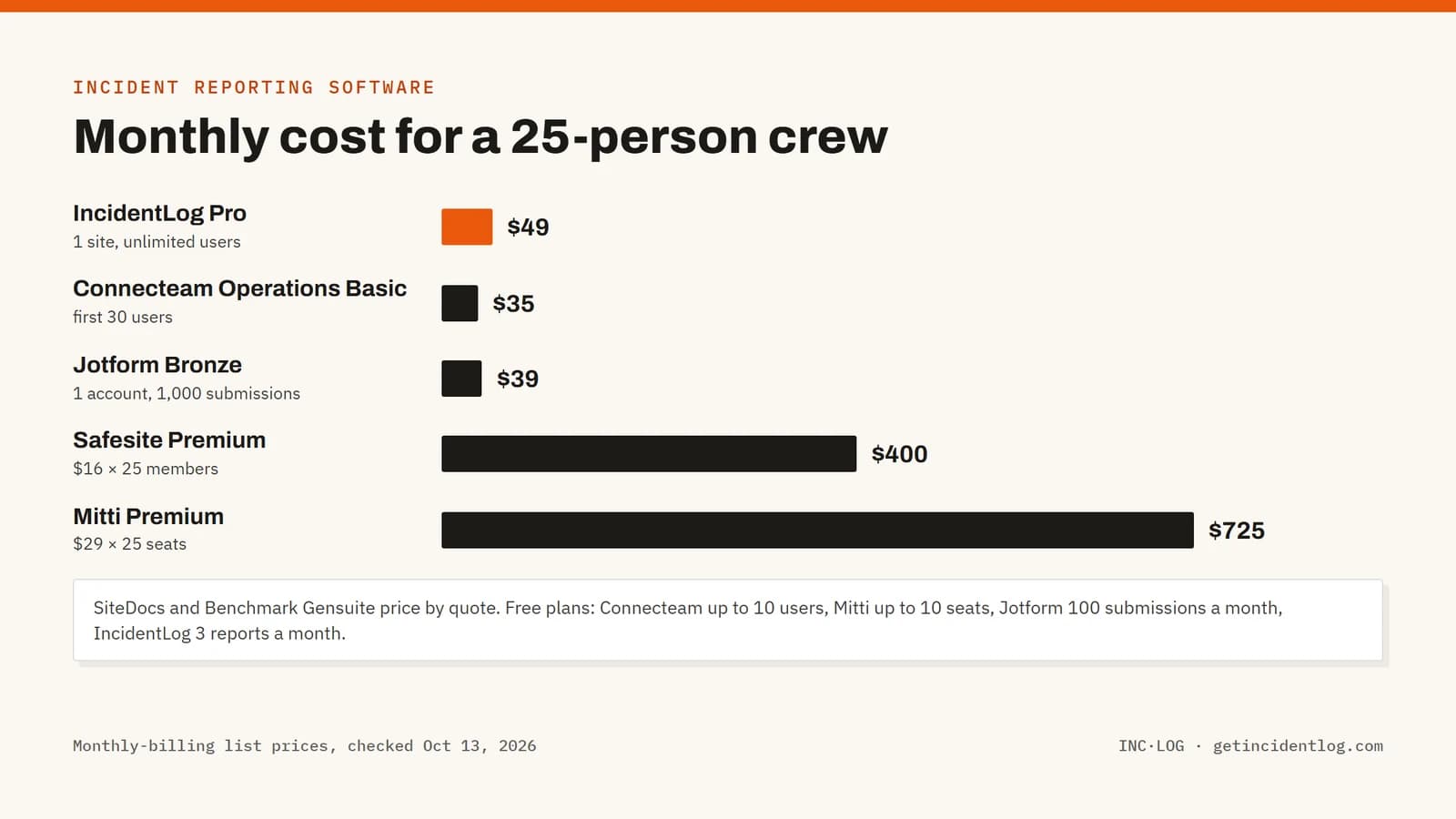
Incident reporting software gets a report from the person who saw what happened into a record a manager can act on: what happened, where, who was hurt, photos, signatures, and the follow-up. For a small business the deciding questions are how a worker reaches the form (a QR code and a browser, or an app and a login), what it costs as the crew grows, and whether recordable injuries turn into the OSHA 300 log. IncidentLog, Connecteam and Jotform publish low entry prices; Safesite and Mitti charge per user; SiteDocs and Benchmark Gensuite quote.
Most incidents at a small business never become a report. The forklift that clipped a rack, the worker who slipped on a wet floor and "was fine": the form is in the office, the person who saw it is on a ladder, and by the end of the shift nobody remembers the details. Incident reporting software exists to shorten that gap between seeing something and writing it down.
This guide compares seven incident reporting apps on what matters to a small team: how a worker reaches the form, what it costs as the crew grows, and whether an injury report can become the OSHA 300 log without retyping. For the logs themselves, see our comparison of the best OSHA recordkeeping software.
Best incident reporting software: a brief overview
Best for crews that report from the field
- IncidentLog: Best overall for small businesses: workers report from a QR code with no app or login, and recordable injuries become the OSHA 300 log, at a flat price per site.
- Safesite: Best for construction teams that want inspections and hazard reports in the same app, priced per member.
- SiteDocs: Best for contractors who need a full safety program (forms, certifications, incidents) and are happy to get a quote.
Best for teams that already work in one app
- Connecteam: Best for deskless teams that already run schedules and time clocks in Connecteam and want incident forms alongside them.
- Mitti (formerly SafetyCulture): Best for operations that run daily inspections and want incidents in the same platform.
Best for simple forms or large programs
- Jotform: Best for office teams that only need an online incident form, built from a template.
- Benchmark Gensuite: Best for large, multi-site organizations running a full EHS program.
| Tool | Best for | Starting price | Free option | OSHA 300 log |
|---|---|---|---|---|
| IncidentLog | Crews reporting from the field | $49/mo per site | Free plan (3 reports/month) | 300, 300A, 301 and ITA file |
| Safesite | Construction safety teams | $16 per member/mo | Free plan (30-day history) | On Premium |
| SiteDocs | Contractors with a full safety program | Quote | Demo | Not stated on pricing page |
| Connecteam | Deskless teams in one app | $35/mo (first 30 users) | Free up to 10 users | No |
| Mitti (formerly SafetyCulture) | Inspection-first operations | $29 per seat/mo | Free up to 10 seats | Built from templates |
| Jotform | A simple online form | $39/mo (1 account) | 5 forms, 100 submissions/month | No |
| Benchmark Gensuite | Large multi-site EHS programs | Quote | Demo | OSHA reports generated |
1. IncidentLog, best overall for crews that report from the field
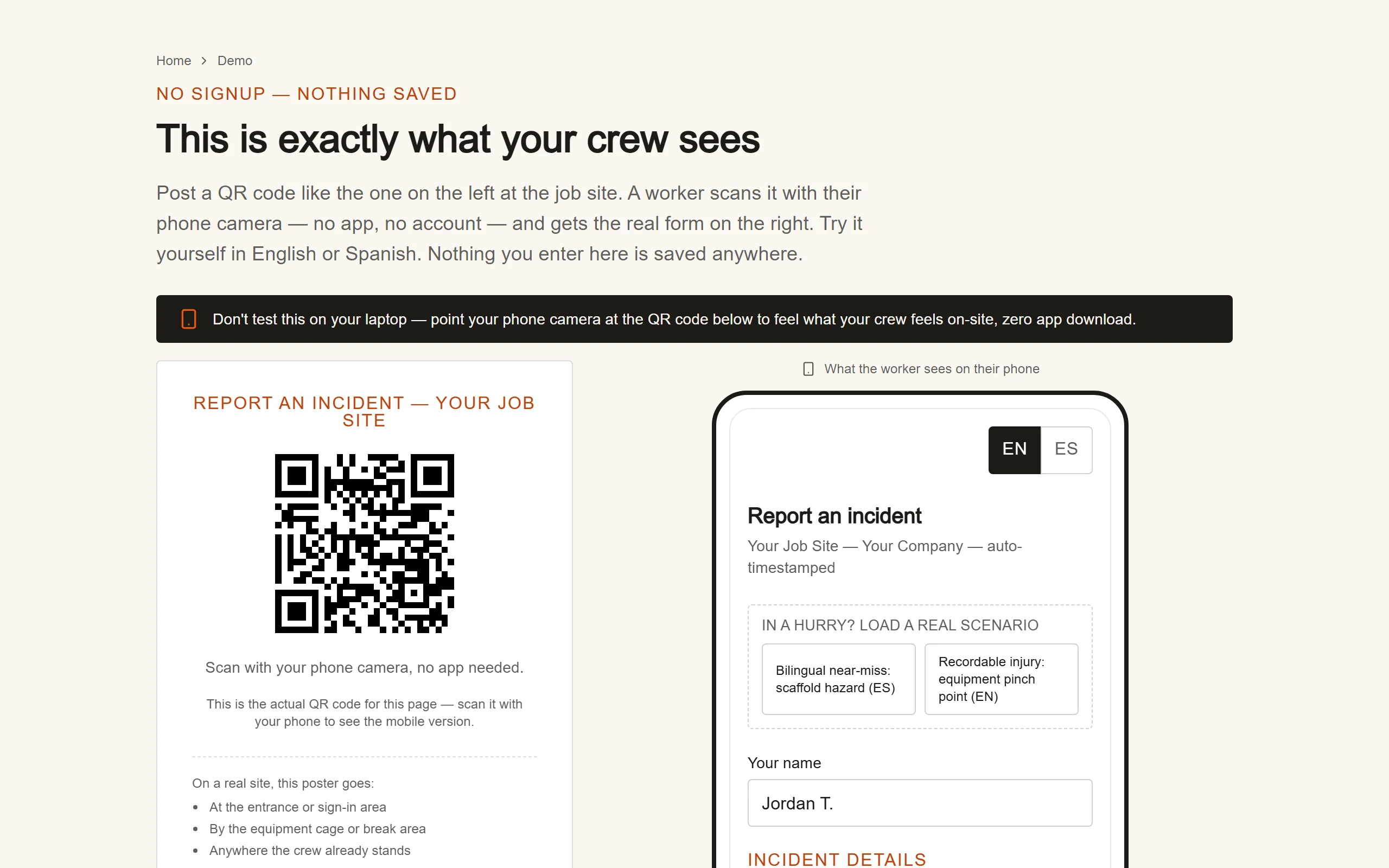
IncidentLog starts where most incident programs fail: getting the report written at all. Each site gets a QR code poster. A worker scans it with their phone camera and fills a short form in English or Spanish, with photos and a signature, without installing an app or creating an account. The report lands in the log a supervisor reviews, timestamped and locked.
When an injury is recordable, the same report becomes the OSHA 300 log entry, the 300A summary and the 301, with the upload file for OSHA's Injury Tracking Application. There's nothing to retype at the end of the year.
Key features
- QR-code intake: report from any phone browser, in English or Spanish, with no app or login
- Photos, reporter and witness e-signatures, timestamped and hashed reports
- Recordable injuries flow into the OSHA 300 log, 300A and 301, with the ITA upload file
- Free incident report templates for paper backups, and a free OSHA recordable injury checker
Best for
- Contractors, warehouses, restaurants and security firms whose workers aren't at a desk
- Crews with subcontractors or Spanish-speaking workers
Pricing
- Free: 3 reports a month
- Pro: $49 a month per site ($490 a year), unlimited users
- Business: $89 a month ($890 a year) for up to 5 sites
Pros
- Nothing for workers to install or sign into, so reports actually get filed
- A flat price per site, whatever the headcount
- The incident report and the OSHA record are the same data
Cons
- Focused on incidents and OSHA recordkeeping: no scheduling, inspections builder or training records
- Newer and smaller than the platforms further down this list
2. Safesite, best for construction teams that want inspections in the same app
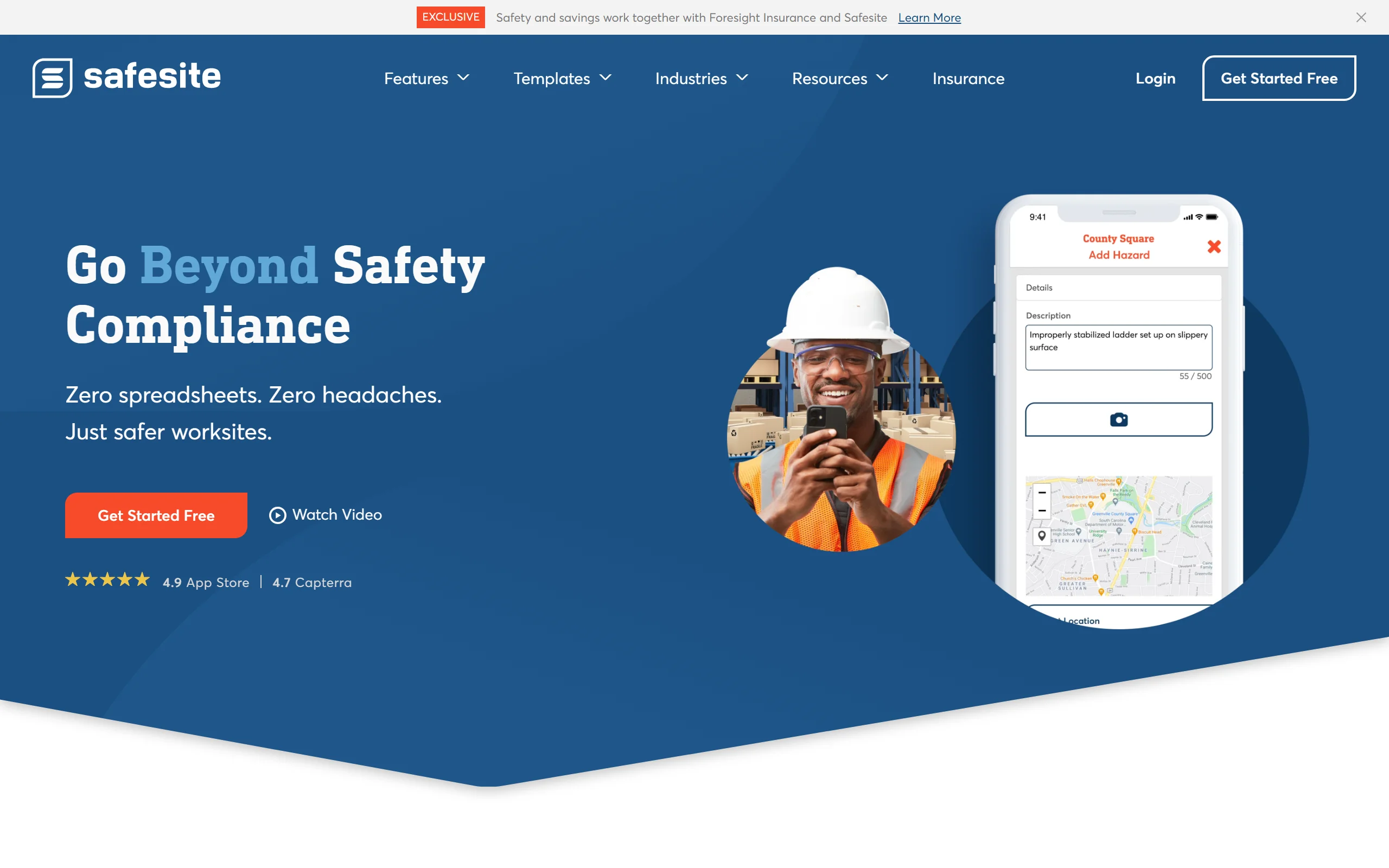
Safesite is a mobile safety app built for construction and field crews. Workers use the iOS or Android app to file hazard and incident reports, and supervisors run inspections and see everything on a risk dashboard. The free plan keeps 30 days of reports; Premium adds the full history and a recordable incident log (OSHA 300).
Key features
- Incident, hazard and near miss reports from the mobile app
- Inspections and a risk management dashboard
- Recordable incident log (OSHA 300) on Premium
- Unlimited members and guests on every plan
Best for
- General contractors running daily site inspections
- Teams where every worker already has the app installed
Pricing
- Free: app and dashboard, reports limited to the last 30 days
- Premium: $16 per member per month, 20% off on annual billing, 30-day free trial
Pros
- Inspections and incidents in one place
- A real free plan for small crews
Cons
- Per-member pricing: 25 members is $400 a month at the listed price
- Workers need the app and an account to report
3. SiteDocs, best for contractors who need a full safety program
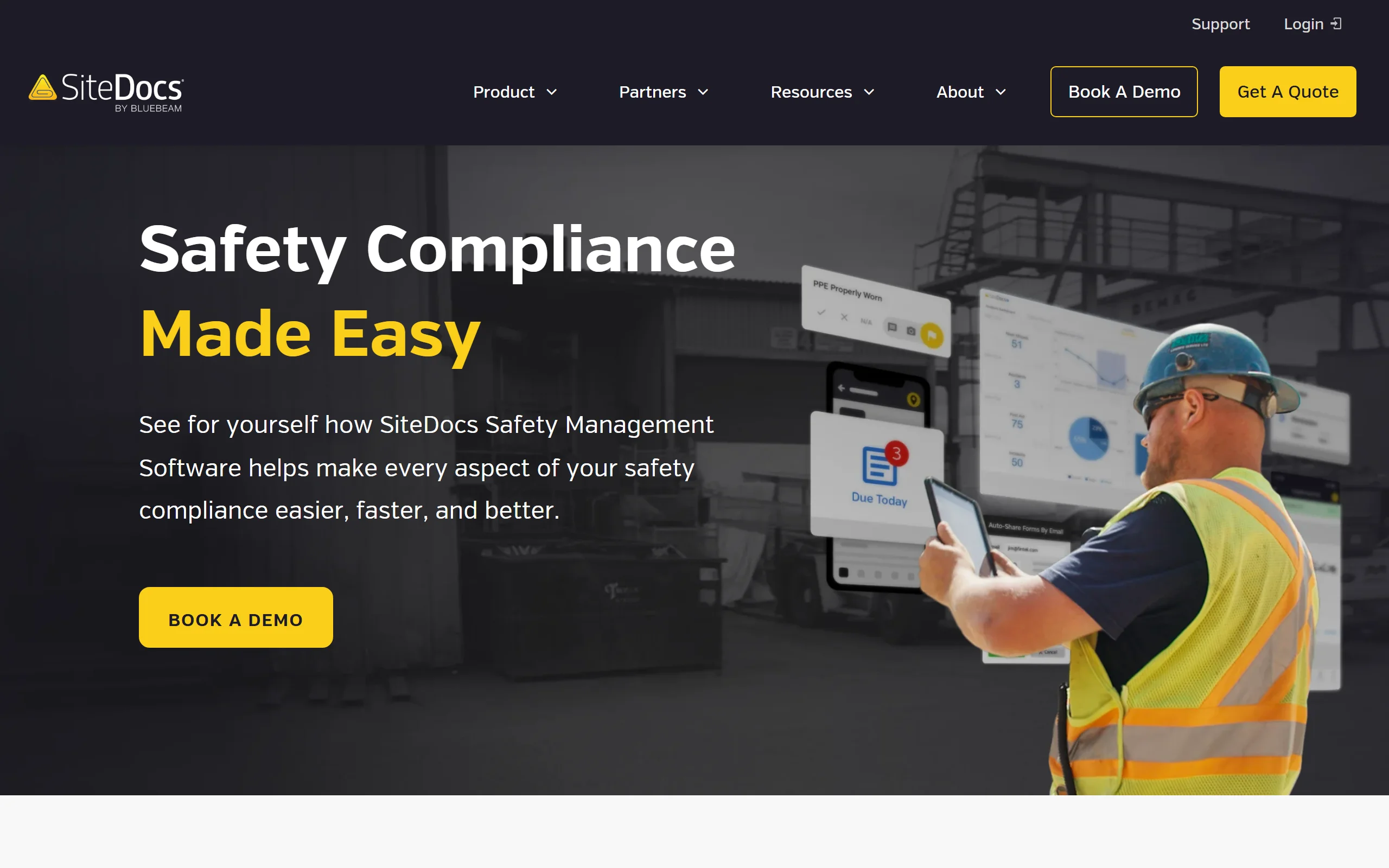
SiteDocs, now part of Bluebeam, is safety management software for construction and field services. Its Incident Management module covers near miss reporting, incident reporting and investigations, next to forms, worker certifications and signatures. Pricing is an annual subscription based on company size, set after a call.
Key features
- Incident Management module: near misses, incidents and investigations
- Unlimited forms and signatures
- Logins and profiles for every worker
- Worker certification tracking
Best for
- Contractors that want one system for forms, certifications and incidents
- Companies ready to standardize a safety program across crews
Pricing
- Not published: annual subscription by company size, quote after a call
Pros
- Broad safety program in one tool
- Built for construction and field crews
Cons
- No public price or self-serve trial
- The pricing page doesn't say whether OSHA forms are included, so ask before you buy
4. Connecteam, best for deskless teams already using one app
Connecteam is an all-in-one app for deskless teams: scheduling, time tracking, chat, training and forms. Incident reporting is one of its form templates, with photos, signatures and GPS stamps, and reports can be exported as PDF. Its Small Business plan is free for up to 10 users.
Key features
- Incident report template you can customize
- Photos, signatures and GPS location stamps on forms
- Scheduling, time clock and team chat in the same app
- PDF export of submitted reports
Best for
- Restaurants, retail and service businesses already scheduling in Connecteam
- Teams up to 10 people that want everything free
Pricing
- Small Business plan: free for up to 10 users
- Operations Basic: $29 a month billed yearly or $35 monthly for the first 30 users, then $0.80 per extra user per month (yearly)
Pros
- Very low price for teams under 30 people
- One app for operations, not just incidents
Cons
- Each worker is an app user with a login
- No OSHA 300 log: recordable injuries still have to be logged elsewhere
5. Mitti (formerly SafetyCulture), best for inspection-first operations
Mitti, the new name of SafetyCulture since August 2026, is an operations platform built on inspections and checklists. Incidents and issues can be reported from the mobile app and linked to corrective actions. For OSHA forms, Mitti describes building your own from its template library.
Key features
- Issue and incident reporting from the mobile app
- Inspections and checklists from a large template library
- Corrective actions and training
- Free plan for up to 10 seats
Best for
- Operations already running inspections in Mitti
- Multi-process teams that want one platform
Pricing
- Free: up to 10 seats and 5 active inspection templates
- Premium: $24 per seat per month billed annually, or $29 monthly
- Per-site pricing: by quote
Pros
- Very flexible: almost any process becomes a checklist
- Mature mobile apps
Cons
- Per-seat pricing grows with every worker; see our Mitti comparison
- OSHA 300, 300A and 301 are templates you build, not forms you get
6. Jotform, best for a simple online incident form
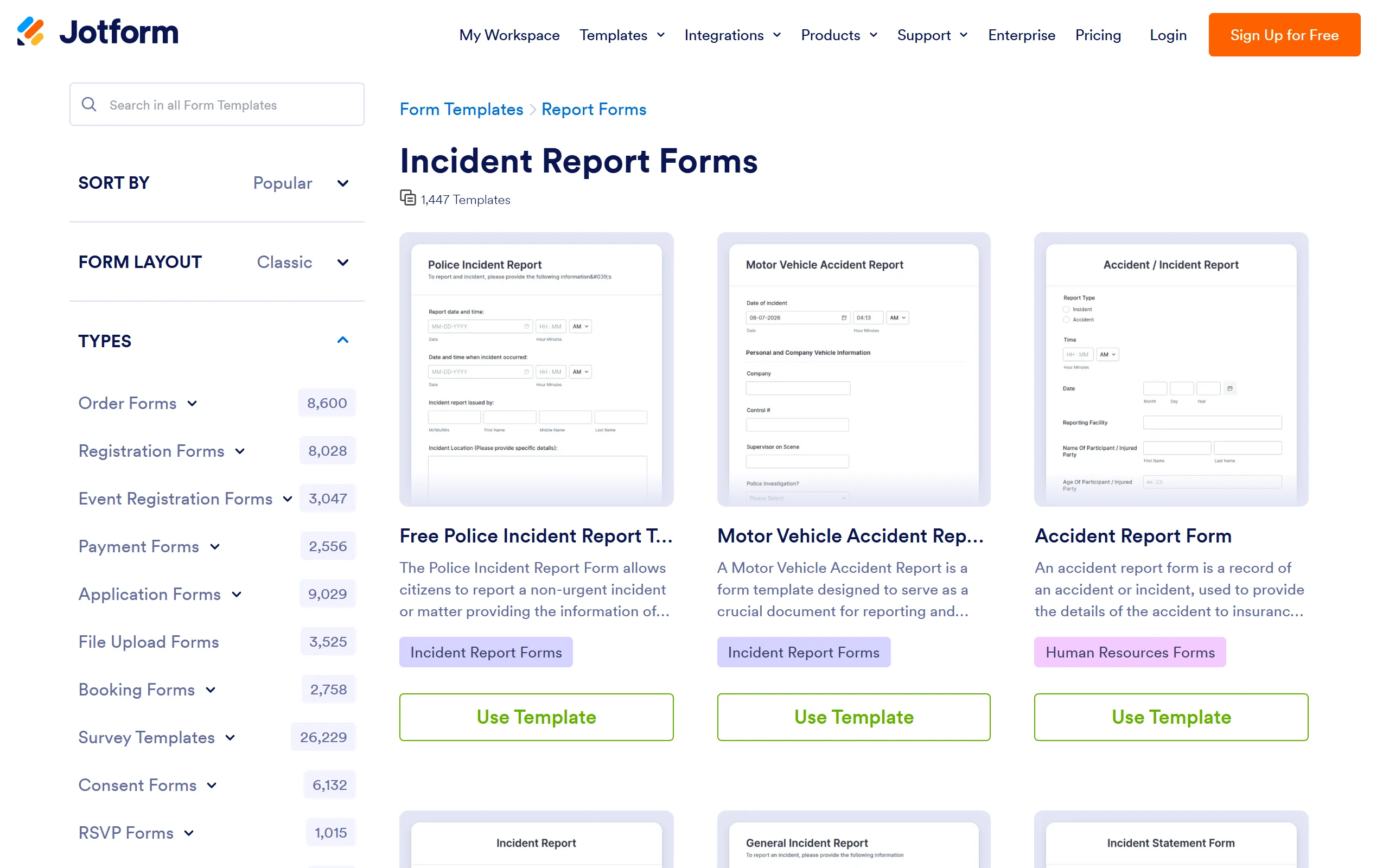
Jotform is an online form builder with 1,447 incident report templates. You pick one, adjust the fields, and share a link or QR code; submissions arrive in Jotform's tables. Anyone with the link can submit, so workers don't need accounts. It is a form, not an incident system: there's no case classification, follow-up workflow or OSHA log.
Key features
- 1,447 incident report form templates
- Shareable link, embed or QR code; no account needed to submit
- Photo uploads and signature fields
- Submissions in tables, with PDF export
Best for
- Office teams that just need an online version of their paper form
- Low volumes that fit the free plan
Pricing
- Starter: free, 5 forms and 100 submissions a month, one account
- Bronze: $34 a month billed yearly or $39 monthly, 25 forms and 1,000 submissions
- Silver: $39 a month billed yearly or $49 monthly, 2,500 submissions
Pros
- Cheap, quick to set up, endless templates
- Workers submit without an account
Cons
- Paid plans are single-user: one account manages the forms
- No incident workflow and no OSHA 300 log
7. Benchmark Gensuite, best for large multi-site EHS programs
Benchmark Gensuite is an EHS platform built for large, distributed organizations. Its incident management software covers reporting from occurrence to closure, with investigation and corrective action tracking, and it generates OSHA reports. Mobile near miss forms work offline and support anonymous reporting.
Key features
- Incident reporting, investigation and corrective actions
- OSHA report generation
- Offline mobile forms and anonymous reporting
- Integrations with HR, occupational health and workers' comp systems
Best for
- Enterprises with many sites and a dedicated EHS team
- Companies standardizing incident management across business units
Pricing
- Not published: demo and quote on request
Pros
- Deep EHS coverage beyond incidents
- Built for scale across sites and countries
Cons
- Enterprise sales process; no published price or self-serve trial
- More configuration than a small business will use
How to choose the best incident reporting software for your team
1) How will workers reach the form?
- If workers are in the field and won't install anything: choose a form that opens from a QR code in the phone's browser, like IncidentLog or a Jotform link.
- If every worker already uses an app for schedules or inspections: Connecteam, Safesite or Mitti put the form where they already are.
2) What does it cost for your real headcount?
- Per site or per account: IncidentLog ($49 a month per site), Connecteam ($35 for the first 30 users) and Jotform ($39 for one account) stay flat as the crew grows.
- Per user: Safesite ($16 per member) and Mitti ($29 per seat, monthly) multiply by headcount: 25 users is $400 and $725 a month.
- By quote: SiteDocs and Benchmark Gensuite.
3) Do injuries need to reach the OSHA 300 log?
- If you keep OSHA records (more than 10 employees, in a non-exempt industry): favor a tool where the injury report becomes the 300 log, like IncidentLog, or that lists an OSHA 300 log, like Safesite Premium.
- If you only need an internal record: a form tool like Jotform or Connecteam is enough.
4) Incidents only, or a whole safety program?
- For inspections, certifications and training too: SiteDocs, Mitti or Benchmark Gensuite.
- For getting incidents reported and on the log: a focused tool rolls out in an afternoon. Try IncidentLog's worker form on your own phone before you choose.
Frequently asked questions
What is incident reporting software?
It's a system for recording workplace incidents, injuries, near misses and property damage as structured reports: who was involved, what happened, when and where, with photos and signatures, then routing each report to the person who reviews it. Better tools also track the follow-up and, for injuries, feed the OSHA 300 log.
What is the best incident reporting app for a small business?
It depends on who files the reports. If field workers report from their own phones, pick a tool with no app install or login, like IncidentLog's QR-code form. If you already run schedules and time clocks in one app, Connecteam's forms may be enough, and Jotform suits office teams that just need an online form.
What are the 5 W's in an incident report?
Who was involved and who saw it, what happened, when it happened (date and time), where it happened (the exact location), and why it happened (the immediate cause). Many forms add a sixth question, how, for the sequence of events and the action taken right after.
What are the five components of an incident report?
Most incident report formats cover five parts. The basics (date, time, location, report number), the people involved and witnesses, a factual description of what happened, the injuries or damage and the immediate action taken, and the cause with the corrective action to stop it from happening again.
What should you not include in an incident report?
Opinions, guesses about fault, blame and assumptions about what someone was thinking. Stick to what was seen and heard, in neutral language, and keep medical details to what the report needs. Write it as soon as possible, while the details are fresh, and don't edit it afterward without a dated note.
Is there free incident reporting software?
Yes, with limits. IncidentLog's Free plan covers 3 reports a month, Connecteam's Small Business plan is free for up to 10 users, Jotform's Starter plan allows 5 forms and 100 submissions a month, and Safesite's Free plan keeps 30 days of report history. Paid plans remove those limits.
Does incident reporting software keep the OSHA 300 log?
Some of it does. IncidentLog turns recordable cases into the OSHA 300 log, 300A summary and 301 reports, Safesite lists an OSHA 300 log on its Premium plan, and Benchmark Gensuite generates OSHA reports. General form and workforce apps like Jotform and Connecteam collect the incident but don't build the OSHA forms.
How quickly does a workplace injury have to be reported?
A recordable case has to be on the OSHA 300 log within 7 calendar days of the employer learning about it (29 CFR 1904.29). Separately, a work-related fatality has to be reported to OSHA within 8 hours, and an in-patient hospitalization, amputation or loss of an eye within 24 hours (29 CFR 1904.39).
If my crews need to report from their phones without creating accounts, what should I use?
A QR-code form that opens in the phone's browser. IncidentLog puts a code on a poster at each site; a worker scans it and reports in English or Spanish, with no app or login, and the report lands in your log, at a flat price per site.
Prices and features checked on each vendor's site on October 13, 2026, at monthly-billing list prices unless stated. The reporting deadlines cited are in 29 CFR Part 1904.
Keep reading
Get incidents reported from the field
A QR poster at each site, a form in English or Spanish on any phone, and the OSHA 300 log kept for you. $49/mo per site, unlimited users, with a free plan to start.